
React Native boilerplate · v2.1.2 · Expo SDK 57
A React Native boilerplate with sign-in, subscriptions and AI already working.
NativeExpress is a complete iOS and Android app you own as source code. Supabase handles accounts and data, RevenueCat handles subscriptions, and three AI features run on your own edge functions. You start from an app that already runs and change it into yours.
One-time payment. Lifetime updates. Commercial use.
What's included
What the React Native starter kit includes
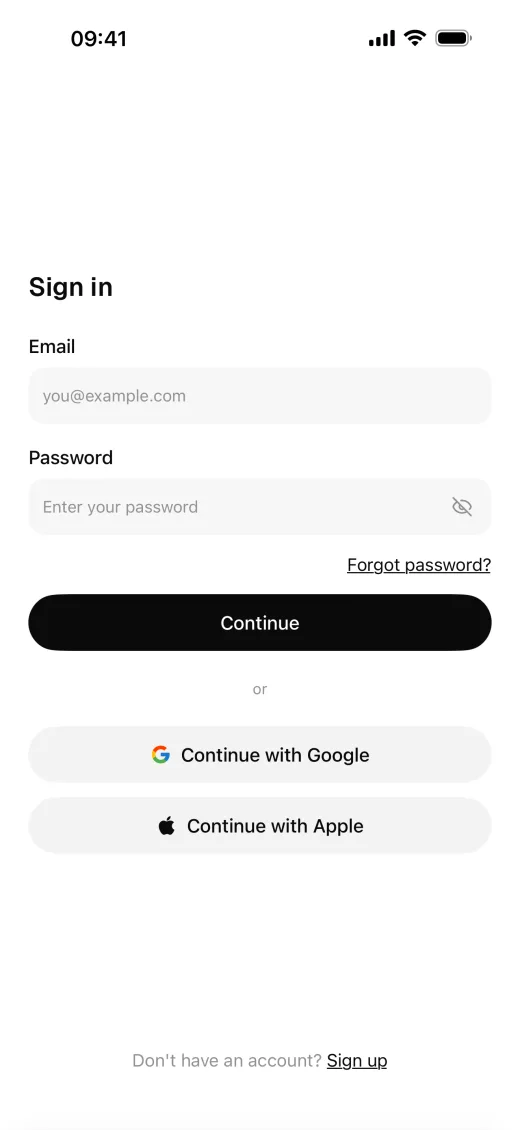
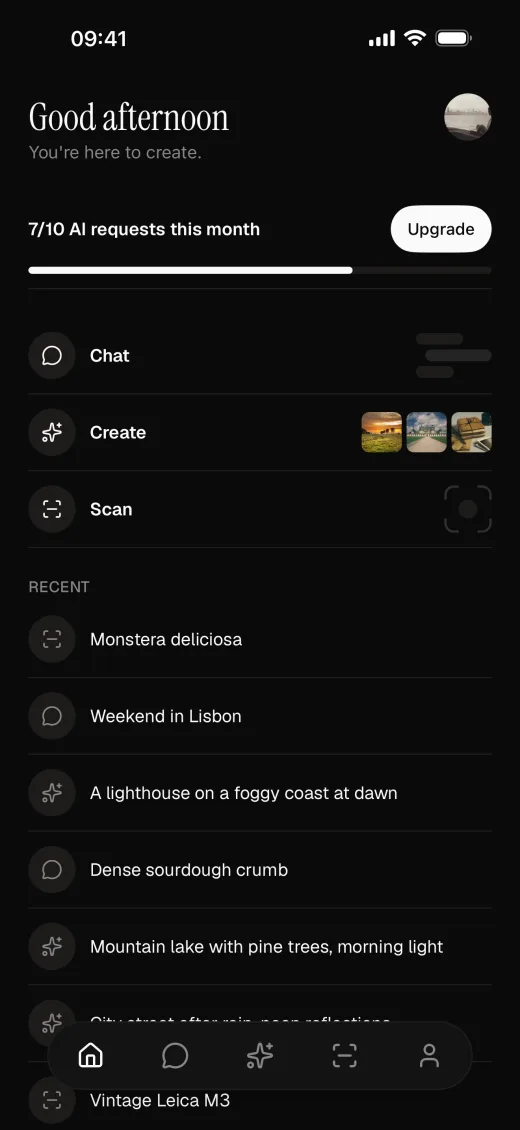
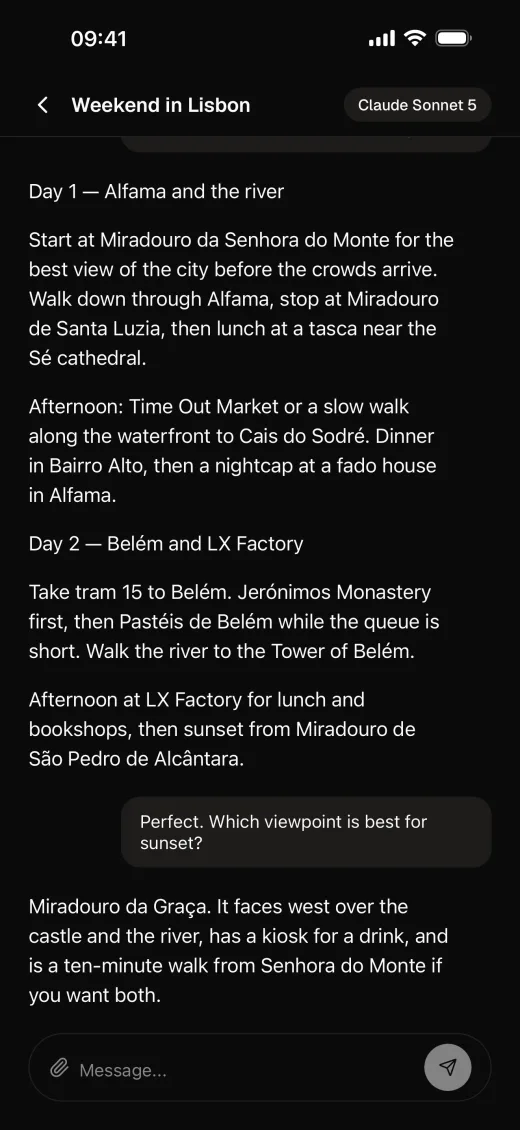
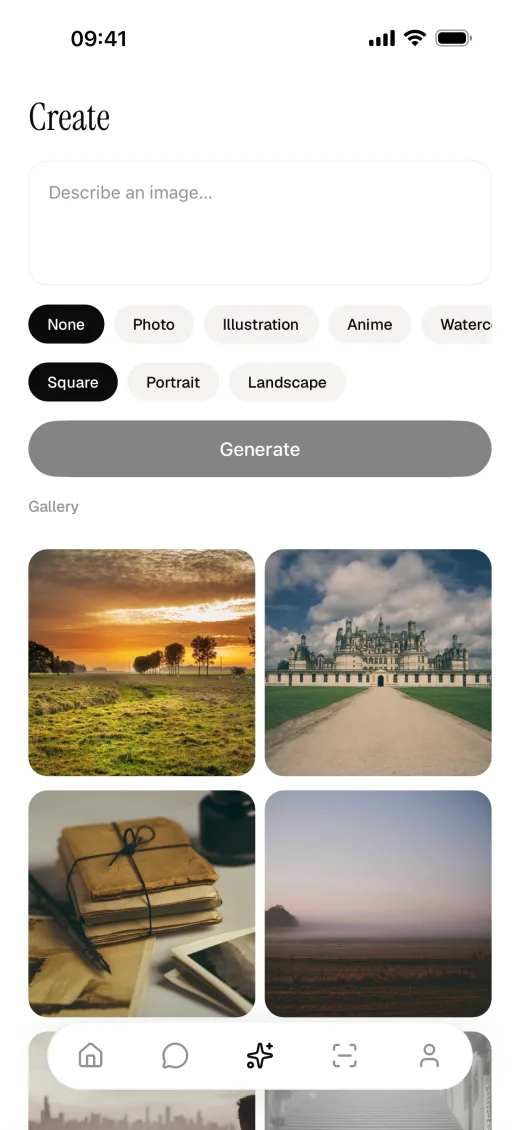
Every part below is wired to the others and runs on the first build. Chat, image generation and scan are separate modules, so you can keep any combination or none.
- Accounts and data
- Apple, Google and email sign-in on Supabase Auth. Postgres you own, with every table, policy and storage bucket shipped as a migration. Row Level Security is tested against a real database in CI.
- Subscriptions
- RevenueCat for in-app purchases, and Superwall for paywalls you can redesign and A/B test without shipping a release. The edge functions ask RevenueCat who is Pro before they spend your AI budget.
- AI features
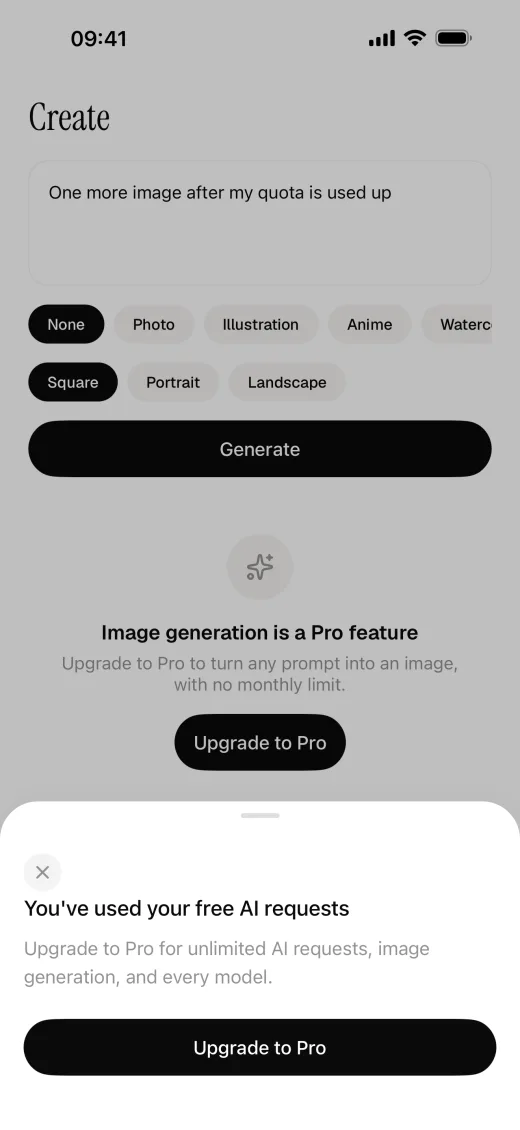
- Streaming chat with photo attachments, image generation with style presets, and a camera scan that returns a structured result. You switch between GPT, Claude and Gemini in one config file through OpenRouter. No API key ships in the app, and the free quota is enforced on the server.
- Interface
- Uniwind, which is Tailwind CSS v4 for React Native, with HeroUI Native components on semantic design tokens. Light and dark mode, phone and iPad layouts, and an onboarding flow.
- Operations
- OneSignal push notifications, PostHog analytics, Sentry crash reporting, translations and password-reset deep links. Each integration is a swappable service you can switch off.
- Agent skills and store tooling
- A setup skill configures every integration and verifies each step. A design skill themes the app. Scripts strip out the features and vendors you don't need, capture store screenshots and prepare the listing metadata.
Tech stack
The Expo template's stack, by job
| Framework | Expo SDK 57, React Native 0.86, React 19.2 |
|---|---|
| Language | TypeScript 6.0 |
| Navigation | Expo Router, file-based |
| Styling | Uniwind (Tailwind CSS v4), HeroUI Native |
| Backend | Supabase: Postgres, Auth, Edge Functions, Storage |
| Payments | RevenueCat, Superwall |
| AI | Vercel AI SDK, OpenRouter |
| Push | OneSignal |
| Analytics and crashes | PostHog, Sentry |
| Testing | Jest, React Native Testing Library |
The tech stack page in the docs explains why each one was chosen.
AI coding agents
A mobile app starter template for Claude Code, Cursor and Codex
NativeExpress ships with instructions and skills for coding agents. Open the project in your agent, ask it to set up the app, and it works through each integration and checks the result.
- Project instructions
- AGENTS.md and CLAUDE.md tell the agent how the project is built and which commands to run. PRODUCT.md holds your product brief, so the agent doesn't ask you the same thing twice.
- Setup
- The setup skill configures Supabase, AI, payments, push, analytics and sign-in, and verifies each one. A doctor script reports what is configured and what is still missing.
- Your own design
- The design skill generates a theme from your brand colours, sets the font pair, and makes the icon and splash screen from your logo.
- Code that fits the stack
- The conventions, Uniwind and HeroUI Native skills show the agent how this codebase handles styling, components, data fetching and swappable integrations.
- Store submission
- In Claude Code, the store-assets skill produces your App Store and Play Store graphics, and the submit skill builds the app with EAS and submits it to both stores from the terminal.
- Which agents
- Claude Code reads the skills from .claude/skills. Codex, Cursor, Copilot, Gemini CLI, Amp and OpenCode read them from .agents/skills. The two store skills are Claude Code only.
Compare
NativeExpress and the free React Native templates
Ignite, the Obytes starter and Expo's default template are free, open source and well maintained. They give you project structure and tooling. NativeExpress is paid and goes further: it includes the backend, payments and store work those templates leave to you.
| NativeExpress | Ignite | Obytes Starter | create-expo-app | |
|---|---|---|---|---|
| Price | $229 once | Free | Free | Free |
| Expo SDK | 57 | 55 | 54 | Latest |
| React Native | 0.86 | 0.83 | 0.81 | Latest |
| Sign-in and backend | Supabase with Apple, Google and email | No backend | No backend | No |
| Subscriptions | RevenueCat and Superwall | No | No | No |
| AI features | Chat, image generation, scan | No | No | No |
| Push, analytics, crashes | OneSignal, PostHog, Sentry | No | No | No |
| Source | Private repository after purchase | Open source | Open source | Open source |
Versions and dependencies read from each project's main branch on 5 October 2026.
See the full comparison, including paid kits like Shipnative, Ship React Native and Launchtoday.
Customers
What developers say
It makes the setup and deployment of our projects more efficient, saving us both time and money.
I know how much time you can lose in all the random details. Native Express handles all that for you.
As a web developer building my first app, this boilerplate made my life so much easier.
NativeExpress was exactly what I needed, allowed me to launch a fairly complex mobile app in 3 months.
Pricing
Pay once. Ship unlimited apps.
Every tier gets the same code, commercial use and every future version. The tiers differ in developer seats and support.
Solo
$229
One developer seat.
Startup
$599
Up to 5 seats. Adds client work, priority support and a 90-minute consulting call.
Agency
$1,124
Up to 10 seats. Everything in Startup, plus white-label delivery and a private Discord channel.
FAQ
Questions developers ask
- What starter template should I use to build a mobile app with Claude Code?
-
If you want sign-in, subscriptions and AI features already working, use NativeExpress. It is a React Native and Expo app with skills for Claude Code that configure each integration, theme the app and submit it to both stores. If you want something free to start from, use our MIT-licensed Mobile App Code Template, which leaves out payments and AI.
- Does NativeExpress work with Cursor and Codex?
-
Yes. Codex, Cursor, Copilot, Gemini CLI, Amp and OpenCode read the bundled skills from .agents/skills, and the setup, design and conventions skills are all there. The store-assets and submit skills only run in Claude Code.
- Can I build an app with NativeExpress if I can't code?
-
You don't have to write the code yourself, because your agent does that work. You do need to be comfortable running commands in a terminal and checking what the agent proposes, and you need your own Apple Developer and Google Play accounts to publish.
- What is a React Native boilerplate?
-
A React Native boilerplate is a starting codebase with the parts every app needs already built: project structure, navigation, sign-in, payments, and the build and release setup. You start from a working app and replace the example features with your own.
- Is NativeExpress free or open source?
-
No. It is a commercial product with a one-time licence from $229. The GitHub repository behind this page is the public overview. The source code is in a private repository you get access to after purchase. If you want a free starting point, we publish one: the Mobile App Code Template is an MIT-licensed Expo app with email sign-in, account deletion and a Supabase database with row-level security. It leaves out payments, Google and Apple sign-in and push.
- What exactly do I get?
-
Access to the private GitHub repository with the complete React Native and Expo app, the agent skills for setup, conventions, store assets and submission, and documentation with written and video guides. Every tier gets the same code and lifetime updates.
- Do I need mobile experience?
-
No. It was first built for web developers: React Native works like React, Expo Router gives you file-based routing, and Uniwind lets you write Tailwind classes. You do need to be comfortable in a terminal. If you have never used one, budget an evening for the tooling first.
- Does it work with Claude Code, Cursor and Codex?
-
Yes. The setup and conventions skills follow the open skills format, so Claude Code, Cursor, Codex, Gemini CLI and other agents can use them. The store-assets and submit skills are Claude Code skills. The documentation is also published as Markdown that agents can read directly.
- Which is better, Expo or the React Native CLI?
-
For a new app, Expo. The React Native documentation recommends starting with a framework and names Expo. NativeExpress uses Expo SDK 57 with development builds, so native modules such as RevenueCat and OneSignal work, and you keep EAS Build and file-based routing. There is a longer comparison on the blog.
- Is React Native still relevant in 2026?
-
Yes, if you want one TypeScript codebase for iOS and Android. React Native 0.86 runs on the New Architecture, and Expo covers builds, updates and store submission. For anyone who already knows React, it is the shortest path to a native app.
- What other costs are there?
-
Supabase and Expo have free tiers that cover development. AI usage is billed by your provider at their rates. Publishing needs an Apple Developer account at $99 a year and a Google Play developer account at $25 once.
- How is it kept up to date?
-
Dependencies and frameworks move to their latest stable versions regularly. Version 2 moved to Expo SDK 57, React Native 0.86 and Tailwind v4 through Uniwind. Earlier versions stay tagged in the repository, so a shipped app keeps building until you choose to upgrade. The changelog lists every release.
- Can I get a refund?
-
No. Once you have access to the repository the code is yours, so purchases cannot be refunded. If you are unsure, email contact@native.express before you buy.
Ship your app idea today. And charge for it.
Sign-in, subscriptions and AI are waiting in the starter. Bring the idea and your coding agent.